
FilterCodes
Maintained by
Michael Milette
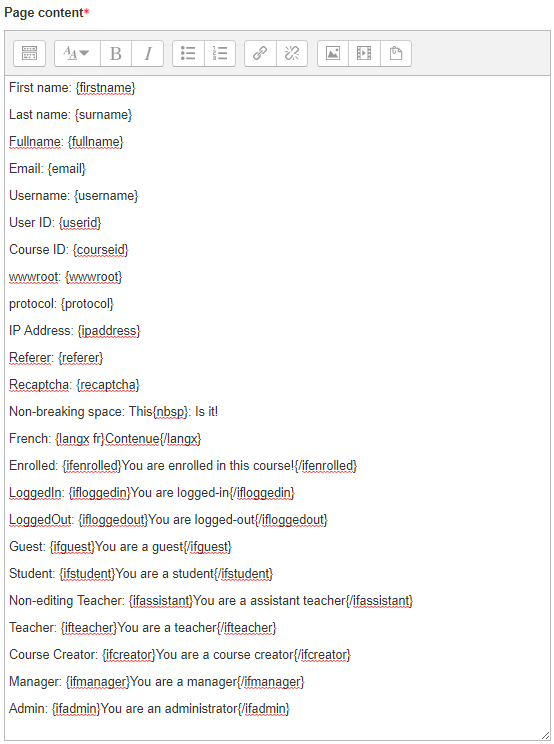
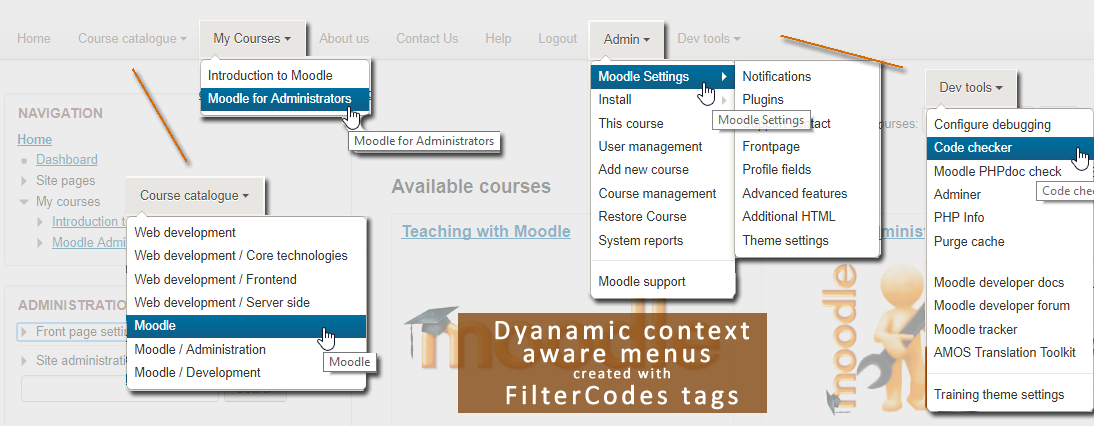
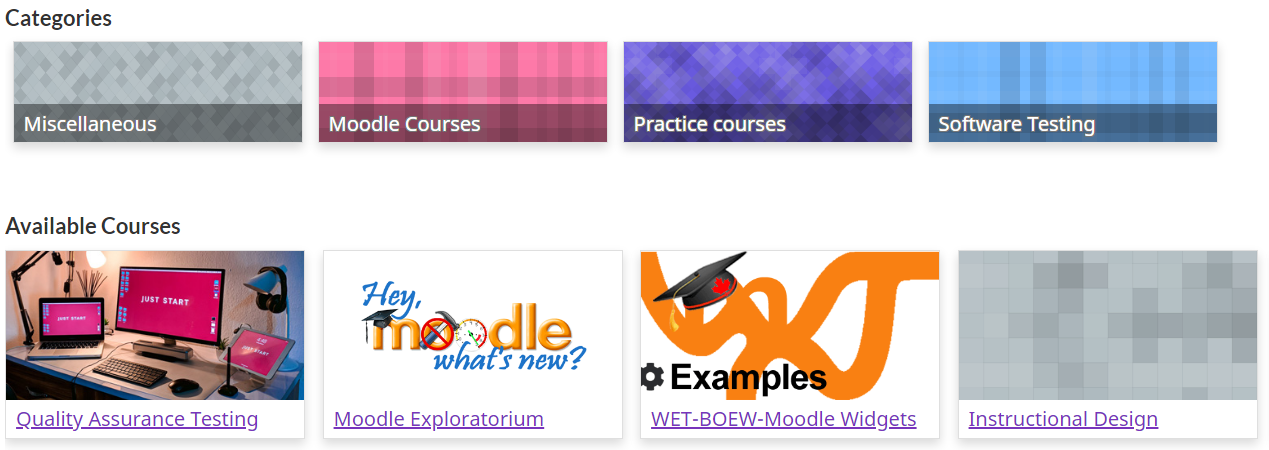
Transform your Moodle site with the FilterCodes Plugin! Elevate engagement by inserting about 200 dynamic plain-text tags like {firstname} to create personalized learning experiences, customize your site and course content, display progress bars, simplify Contact Form customization effortlessly and much more. FilterCodes empowers educators to revolutionize Moodle into a dynamic, personalized platform. Join the community of FilterCodes enthusiasts to unlock the potential of your Moodle LMS site.

Comments
Comments are no longer open for new posts. Existing comments remain available to read.
First of all, thank you for your amazing job, you saved many time for my team and will save many more in the future.
I have a question : I would like to allow users to write FilterCodes tags in admin_settingconfigtext or admin_settingconfigtextarea fields of my plugins but it doesn't seem to work and seems to escape automatically the tags.
Is there a chance that it can be possible in a near future to use FilterCodes in settings'pages?
Or maybe it is already the case and I have completely missed the information ?
Thanks in advance,
Best regards
Stephen Bornet
Once set up, it just works automatically and a really neat way to get people seeing what they need to see.
If your profile field is called "olchat", then the correct tage to use would be:
{ifprofile_field_olchat}Your content{/ifprofile_field_olchat}
As for the "Before BODY is closed" field, most themes don't pass this through Moodle filters. You would likely need to modify your theme to add support for this. This is what I've done in the past in order to achieve similar outcomes. If you meed an example of how to do this, feel free to take a look at the following code change for the Trema theme:
https://github.com/trema-tech/moodle-theme_trema/commit/27f88ced18e64a4d12f8a0b547f94df0cb1e0d3a
Hope you find this information useful.
Best regards,
Michael Milette
{ifOLChat}popup url script here{/ifOLChat}
Thanks in advance for any suggestions.
There is definitely development going on, either when clients pay for new features or I have free time to work on it on a volunteer basis. As indicated when you created the ticket, if you are in a hurry for a new feature, please contact me through my website for premium service at https://www.tngconsulting.ca/contact. Submitting a code through a pull request can also help accelerate the process.
Best regards,
Michael
Referring to our previous posts above, I have posted a feature request on March 2, but did not get reply about this and not assigned also. Is there any development going on on it?
The feature request at:
https://github.com/michael-milette/moodle-filter_filtercodes/issues/294
Thanks and regards,
When you display courses on the Home page, the context is the home page, not the course. Internally, the home page is actually a course (course id: 1). So, when the {courseparticipantcount} tag goes to get the number of enrolled students, it reports the number of users on the site since everyone is enrolled in the Home page.
Unfortunately, your options are very limited. It would either involve:
1. Hard-coding the number into the course description (and manually updating it periodically).
2. Modifying your Moodle theme with some custom programming to display the number of enrolled students in the courses.
3. Modifying the FilterCodes {coursecards} tag to include options to display the number of enrolled users in the course.
If you are interested in the 3rd option, use the Feature Request link on the FilterCodes plugin page to create a ticket. If you are in a hurry, contact me directly for premium service.
Best regards,
Michael
{coursecount students:active} both display 0. any help
It is not currently possible to do that using FilterCodes but it sounds like a useful idea. Please submit this as a feature request by going to https://github.com/michael-milette/moodle-filter_filtercodes/issues.
Best regards,
Michael Milette
Again, this is a very wonderful plugin that helps in making everything easier.
My question today, how possible to make only the forced language courses show in the list of courses when only that language is selected in the language selector?
Or showing specific categories based on the language selector?
Are these possible using filtercodes?
Thanks,
I have enabled "Enable reCAPTCHA for login". What I have to do further in order the {recaptcha} to work with my {formcontactus}?
The contact form I have it already and it works perfect.
Thank you in advance.
Kind regards,
Daniel
Contact form it works, only the Recaptcha not.
I saw that setting, is now disabled, but is no only for login?
I want to implement the Recaptcha to the contact us page.
Thank you.
Kind regards,
Daniel