
MooTyper
Maintained by
RACHELS, DANIEL A.
MooTyper implements a typing practice/instruction functionality into Moodle.
Comments
Comments are no longer open for new posts. Existing comments remain available to read.
I´m "working" in this one! I'm also admin of a Moodle site.
https://imgur.com/a/9DV4w
I enter the name of keys in a copy of Portuguese v4.php
https://drive.google.com/open?id=1JLaGtl1ZpvbFRGmoge5PneiB4w4PpBUc
But something wrong. After i will "program" the .js file.
TIA
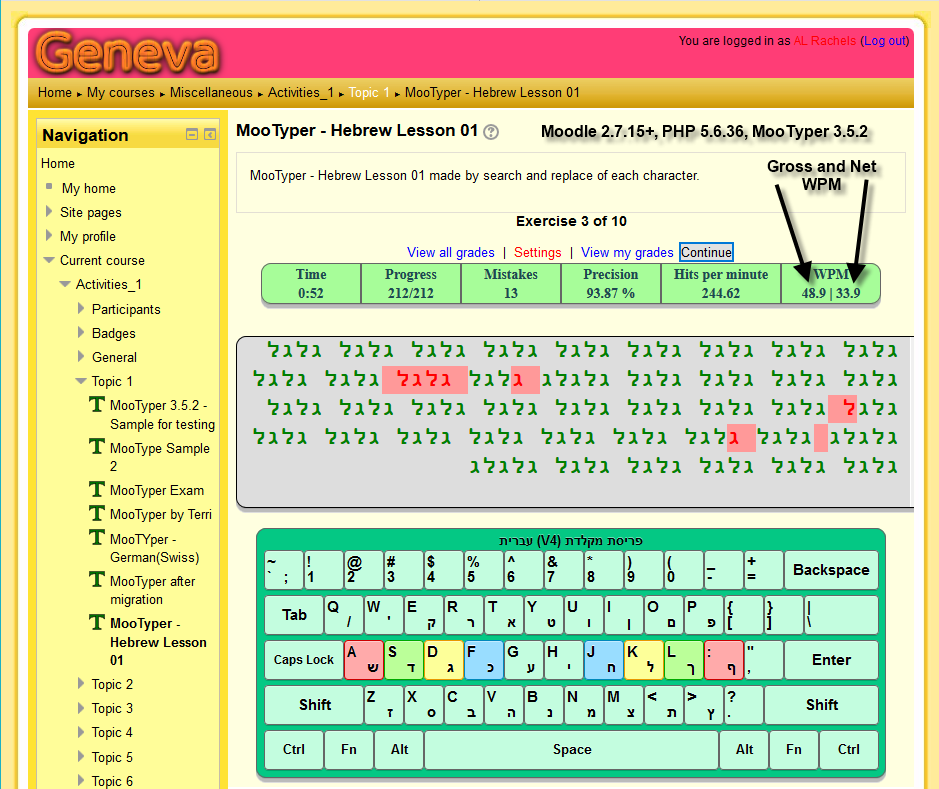
Currently, there are no keyboard layouts for those languages. It is okay to create your own versions of them, if you want to. I will try to help create them, but need to know details of what operating system the students computers will be using and I would also need to see a picture of their keyboard for each language. It will be best to contact me directly via email, drachels at drachels dot com.
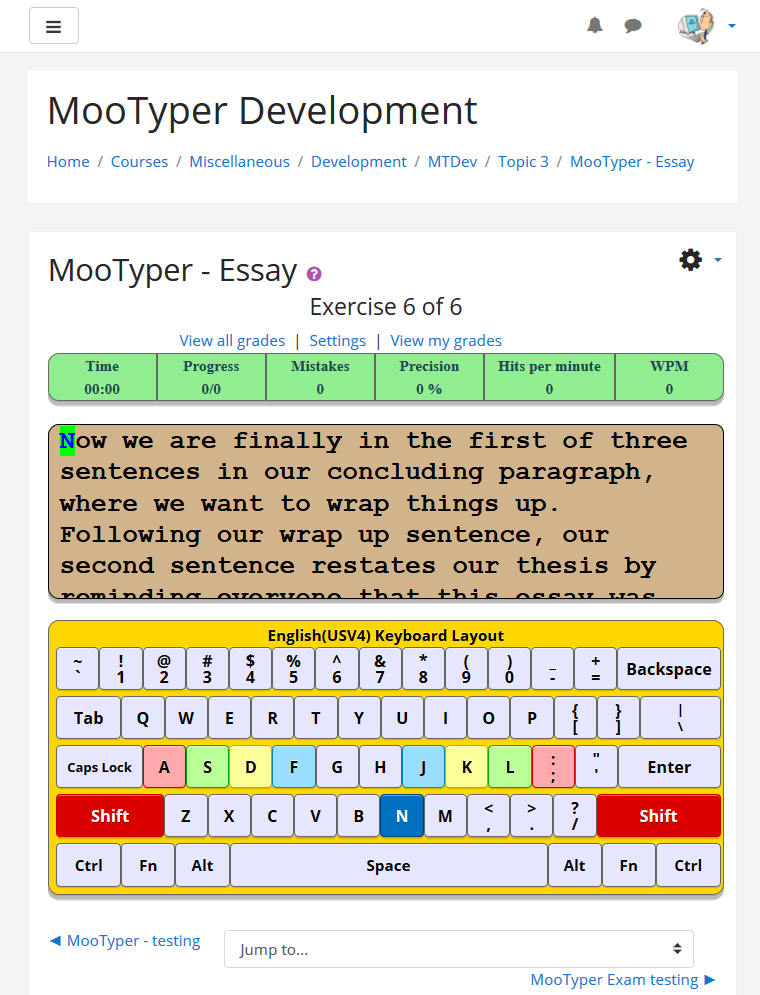
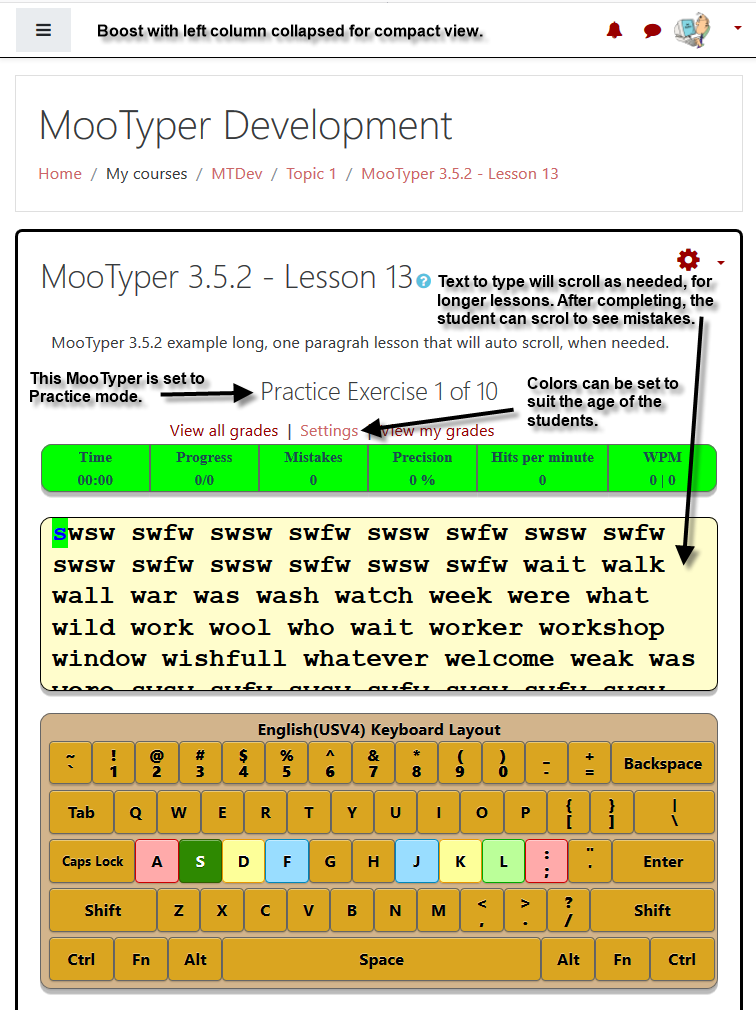
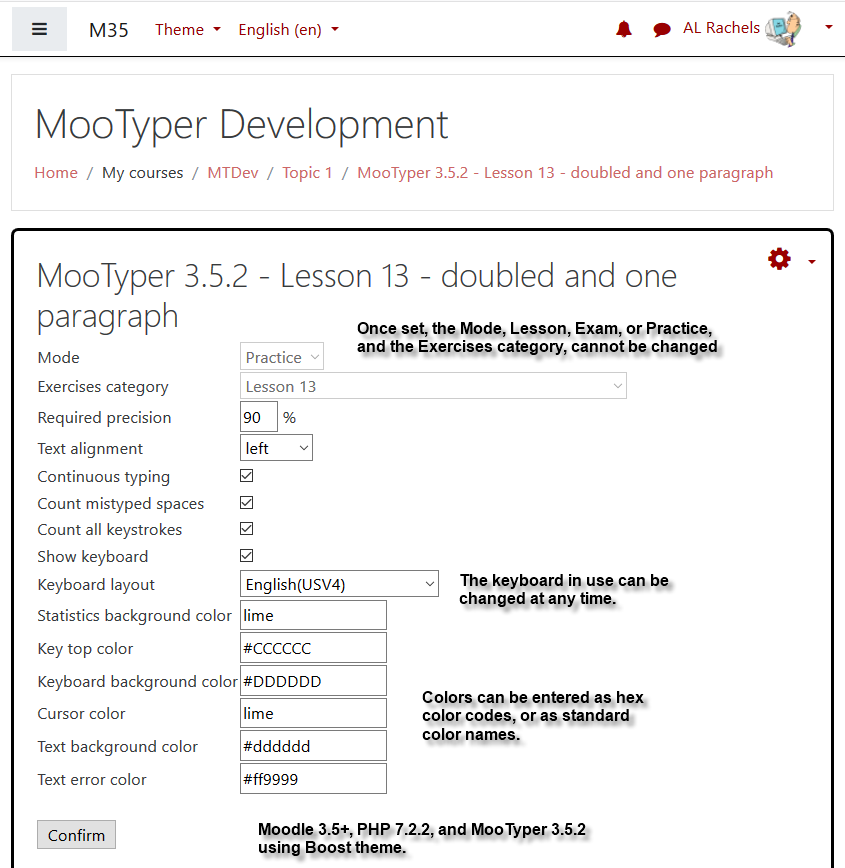
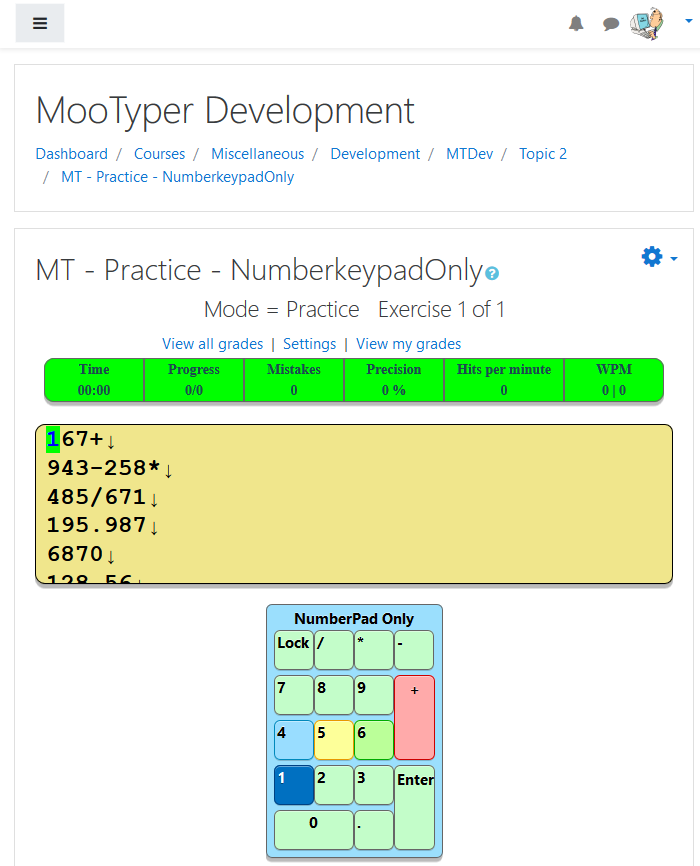
Just to let everyone know, I am very close to a new MooTyper 3.4.1 release that on screen is much more compact than any previous versions. The keyboard layouts are more compact and you can set the background and normal key colors for each different MooTyper activity. The current version of all the new code is in the master branch at github. Just doing a little more internal comments and need to check that it works on other versions of Moodle. So far I've only had time to test 3.3 and 3.4.
Currently, we are leveraging MooTyper with other languages (Thai,Malay,Vietnamese, Siamese) for TH,VN and ID regions. So as part of the process, i could not find the indicated languages on to "KEYBOARD LAYOUT" of Mootyper. Is there anyway i can get it somewhere (or) it requires development. Your response is highly appreciated.
Thanks in advance.
Regards,
Karthick
There are two new keyboard layouts included. I created the Dvorak one, just to see if I could learn the new layout after using qwerty for over fifty years. Haven't really had the chance to try to learn it yet, though. The other new layout, Belgium(DutchV3) was at the request of Jelle Pauwels. With his help in testing, it only took a few hours spread out over a few days. That's because his work day is ending, when mine is just starting.
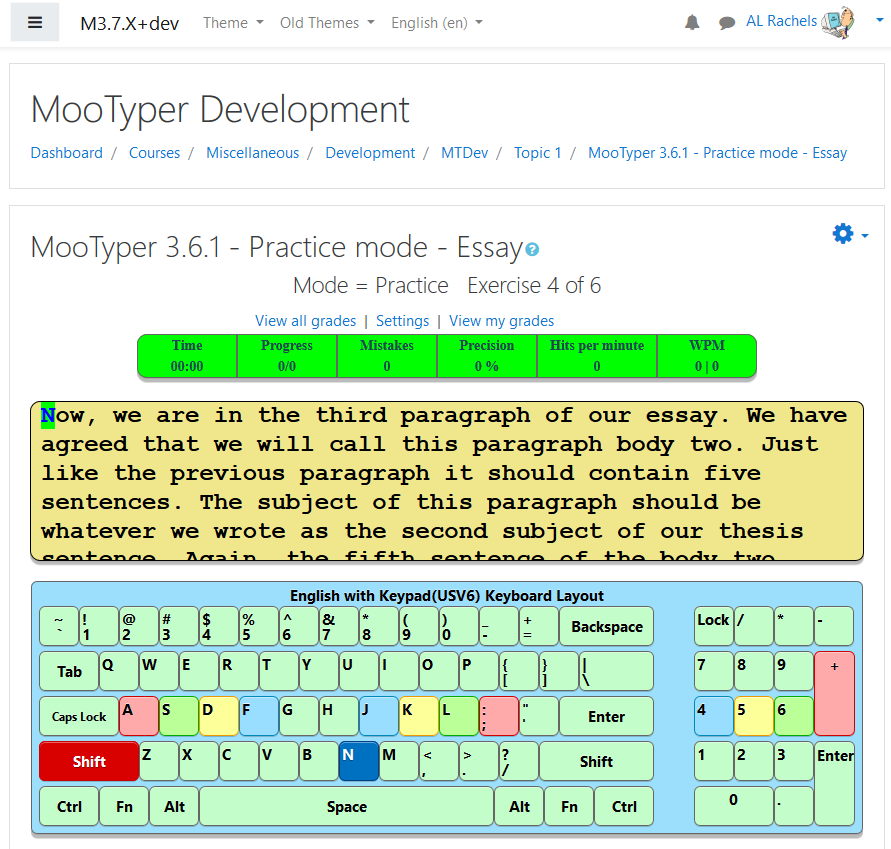
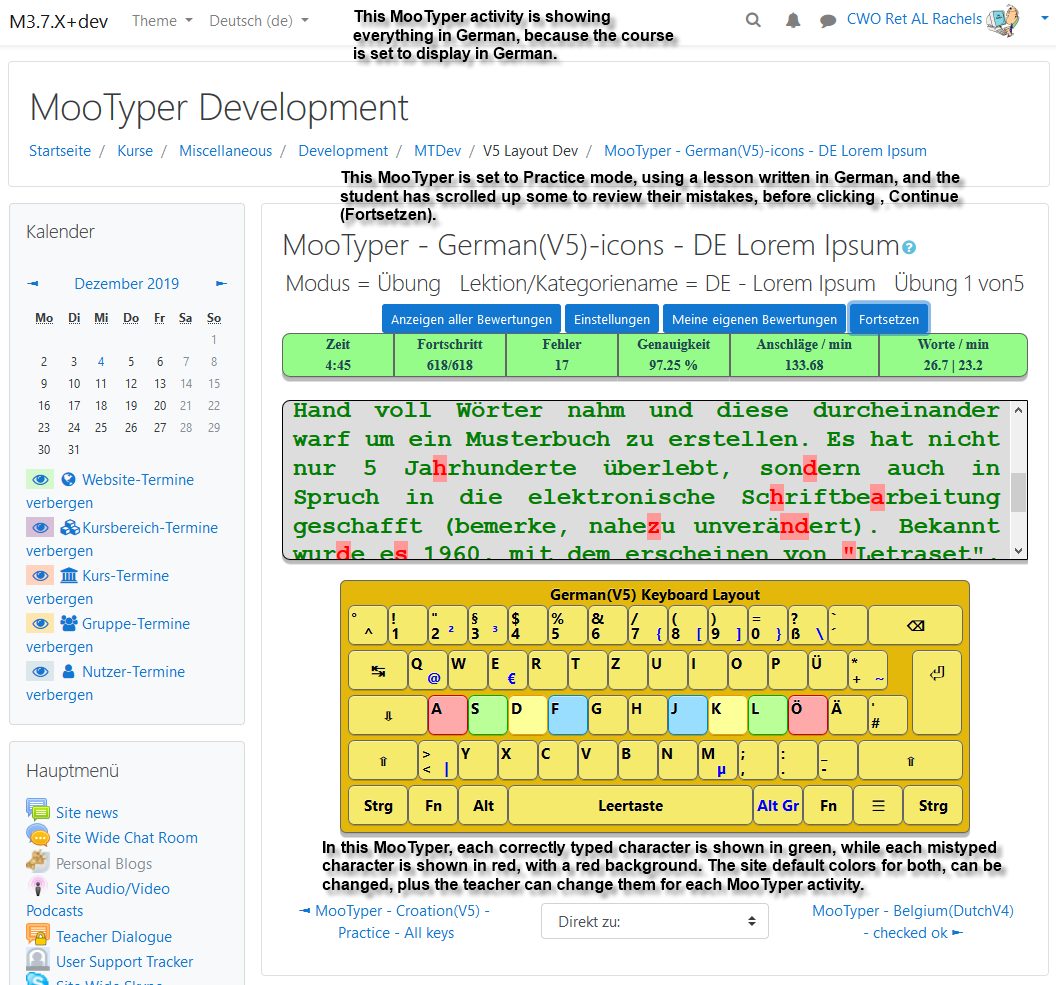
In general, every layout has some major changes in the code, new characters added, and the visual keyboard designed updated. Many new combined keys can be typed, that just were not included in prior releases. Characters rendered in black are typed with just the one key and shift when needed. If a character is rendered in blue, it needs to also use the Alt gr key plus the shift key at times. Red characters are used to create combination letters and also use the shift key at times. Generally the red keys can also be typed by themselves by typing the key followed by the space bar.
As always, let me know if you have any questions or problems.
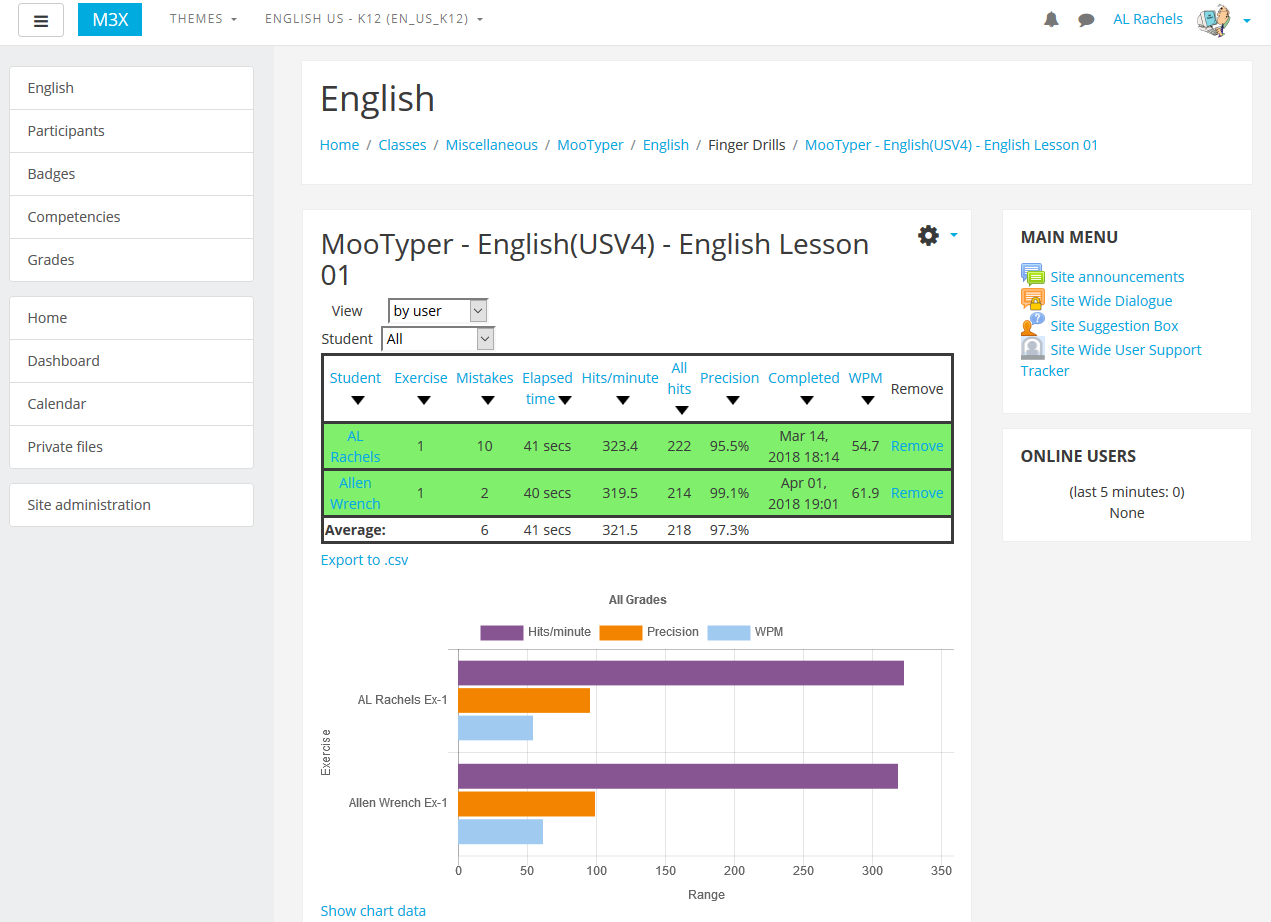
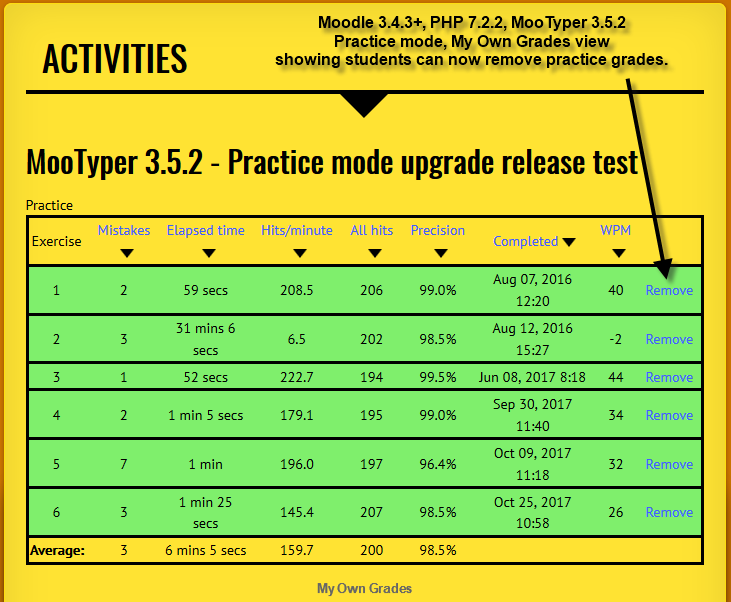
If a teacher, manager, or admin goes to, View all grades (gview.php), the column headings work in a similar manner. In addition, clicking the Student heading, sorts the list alphabetically by last names, A to Z changing to Z to A when clicked again. The teacher, manager, or admin can control the who the information is displayed for, by changing the drop down menu selections. For instance to see how everyone performed on a particular exercise, select, by exercise, and then an exercise number. To see how an an individual student performed, you can select, by user and then change from All to an individual name. When looking at results for an individual, clicking on any heading reverts back to seeing results for All users.
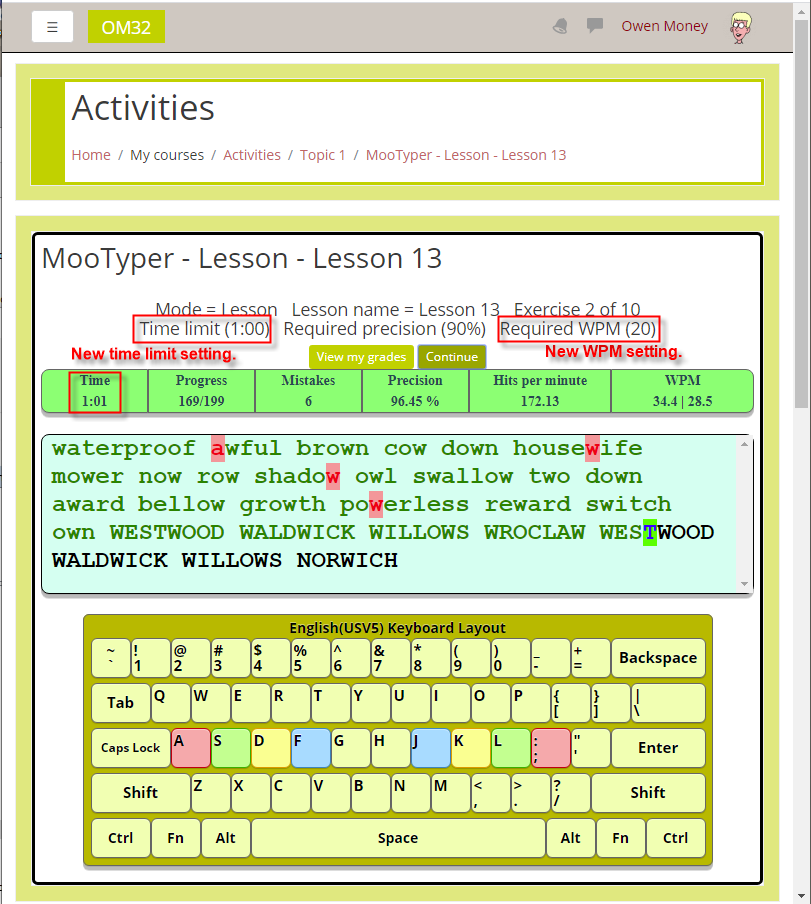
I hope to soon release a new MooTyper version 3.3 for Moodle 3.2.x and 3.3.x, that will also add a horizontal bar chart under each of the grade tables. My work in progress v3.3 BETA, sorts the bar chart to reflect the sort order of the grade table.
I should have a new MooTyper 3.3.0 ready for release soon that makes use of the new Chart api in Moodle. Right now my development copy adds a bar graph to the bottom of each of the grade pages, with a bar for Hits/minute, Precision, and WPM for each user/lesson.
Thanks for your interest in MooTyper. I had spotted those same problems, but have delayed putting out a new release as there is one other problem that I have not had a chance to track down yet due to working on other projects. The keyboard render does not look the same in Boost based themes, as it does with the Clean theme, and others. In Boost, all the keys for the on-screen keyboard seem to render much smaller. For anyone interested I have put the fixes Mentioned above, in the master branch at github.
We found a few issues in the MooTyper css and scss, causing a breakdown in Boost-based themes. I know there is no version for Moodle 3.2 yet, but it might be nice to have fix for these:
webkit-border-radšius: 4px; ==> should be webkit-border-radius: 4px
and in declaring margin, on the final value it doesn't say px, but x.
Looking forward to a fix for these, so MooTyper can properly run in 3.2 with Boost-based themes.
Warning: file_put_contents(mod/mootyper/styles.css): failed to open stream: Permission denied in /home/gnucr/public_html/courses/mod/mootyper/settings.php on line 144
Skip to main content
I'm not using MooTyper at the moment with any courses but wanted to shared and hope to get some advice for resolving